







Integrations
External systems that connect, retry, and stay in sync — without hand-built plumbing.
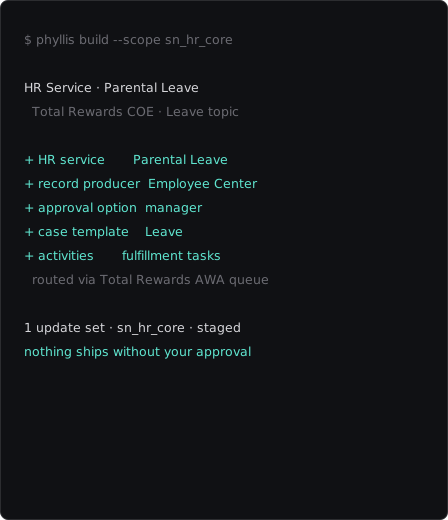
Phyllis builds and extends your entire integration layer — any connection, credential or retry rule — grounded in your live instance and staged for your approval.


Scan integrations
Show me every outbound connection we call and how each one authenticates.
 Sonnet 5 Low
 Connect a system
Set up an outbound connection to our Jira Cloud instance for pushing incidents.
Sonnet 5 Low Reuse a spoke
Do we already have a Slack integration installed, or do I build one from scratch?
Sonnet 5 Low OAuth setup
Wire up OAuth so our external calls authenticate without hard-coded secrets.
Sonnet 5 Low Stored credentials
Move the credentials out of the connection so the same call works across dev, test and prod.
Sonnet 5 Low Call from a flow
When a change is approved, call the external ticketing system and log the response.
Sonnet 5 Low Retry policy
Add a retry policy so rate-limited calls back off and retry instead of failing.
Sonnet 5 Low HTTP methods
Add create-ticket and get-status methods to our Jira connection with the right headers.
Sonnet 5 Low Environment portability
Make our payment-gateway connection portable across environments.
Sonnet 5 Low Webhook sender
Send an outbound webhook to our monitoring tool whenever a major incident is raised.
Sonnet 5 Low Dynamic endpoints
Make the endpoint pull the record id at run time so one method serves every ticket.
Sonnet 5 Low Resilience review
Show me which integrations have no retry protection and fail on the first hiccup.
Sonnet 5 Low Scan integrations
Show me every outbound connection we call and how each one authenticates.
Sonnet 5 Low Connect a system
Set up an outbound connection to our Jira Cloud instance for pushing incidents.
Sonnet 5 Low Reuse a spoke
Do we already have a Slack integration installed, or do I build one from scratch?
Sonnet 5 Low OAuth setup
Wire up OAuth so our external calls authenticate without hard-coded secrets.
Sonnet 5 Low Stored credentials
Move the credentials out of the connection so the same call works across dev, test and prod.
Sonnet 5 Low Call from a flow
When a change is approved, call the external ticketing system and log the response.
Sonnet 5 Low Retry policy
Add a retry policy so rate-limited calls back off and retry instead of failing.
Sonnet 5 Low HTTP methods
Add create-ticket and get-status methods to our Jira connection with the right headers.
Sonnet 5 Low Environment portability
Make our payment-gateway connection portable across environments.
Sonnet 5 Low Webhook sender
Send an outbound webhook to our monitoring tool whenever a major incident is raised.
Sonnet 5 Low Dynamic endpoints
Make the endpoint pull the record id at run time so one method serves every ticket.
Sonnet 5 Low Resilience review
Show me which integrations have no retry protection and fail on the first hiccup.
Sonnet 5 Low